Logged.
Filmed.
Timed.
Prop up your phone and train. Levr logs every set, films it, and times every hold — planches, front levers, handstands — automatically. No stopwatch, no scrubbing back.
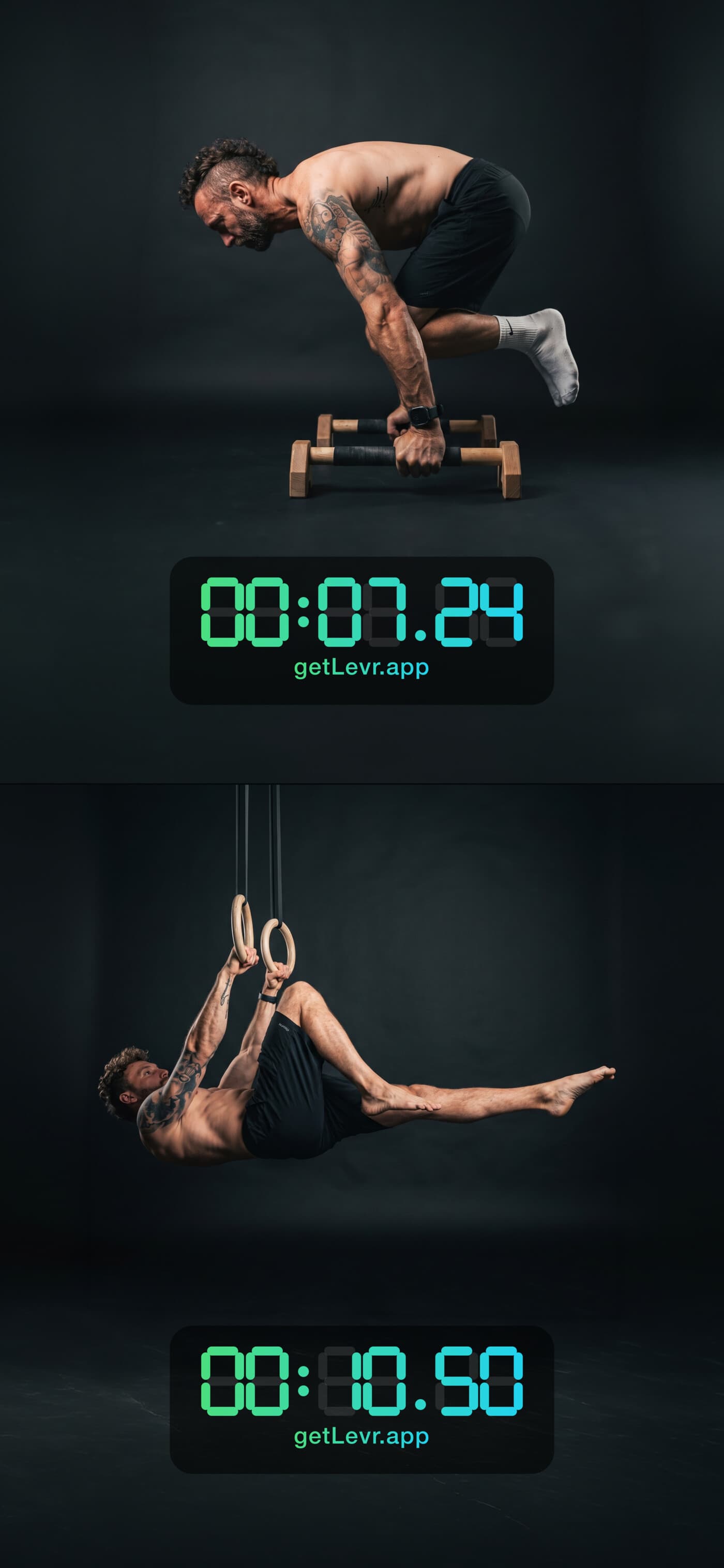
Your hardest work isn't a number in a table — it's a handstand you hold, a planche you fight for, a muscle-up you finally get clean.
Calisthenics is different.
Holds need timing. Skills need video — you get better by watching your form, not by feeling it. Levr does both: it logs every set like a serious strength app, and films and times your holds automatically.
See your form, not just your numbers.
Every set is saved next to its own video, so your whole training history is on video. For skills like the handstand, Levr measures the angles at your joints and scores the hold — so you see exactly what to fix. More movements are on the way.
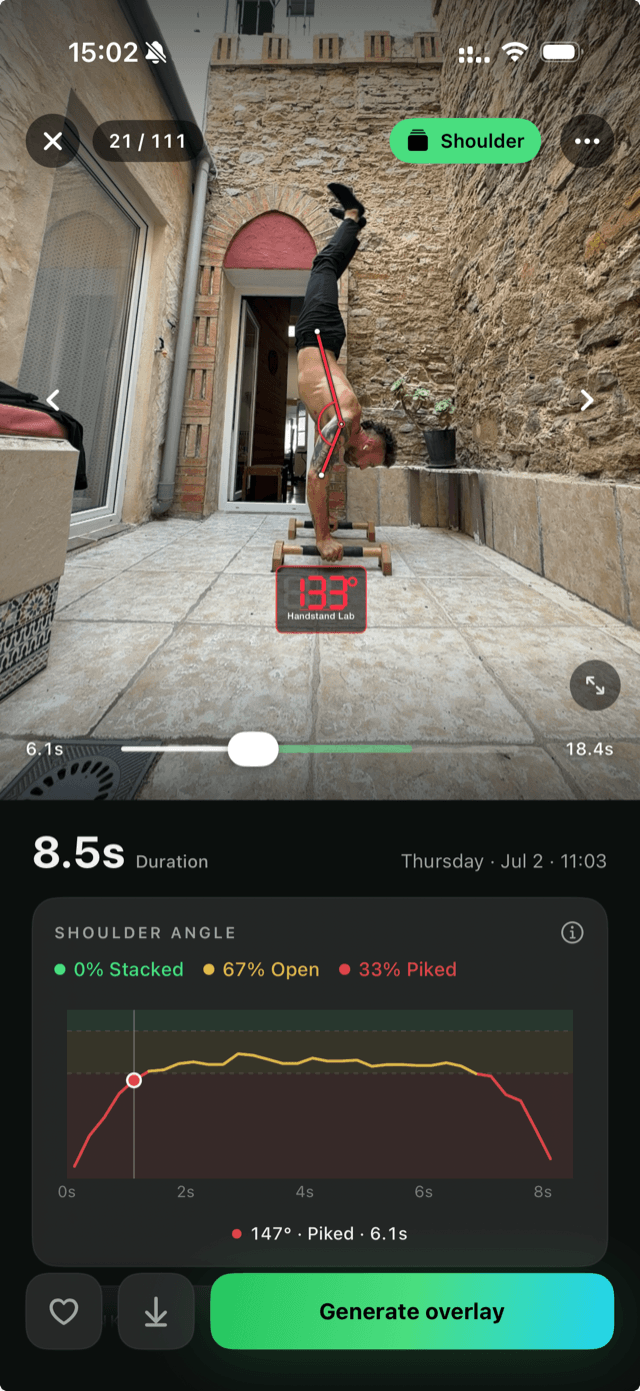
Every set, on video.
Every set you film is saved right next to its log, so your whole training history is a video library — not a number in a table. Scroll back through every planche, every muscle-up, every handstand you've filmed.
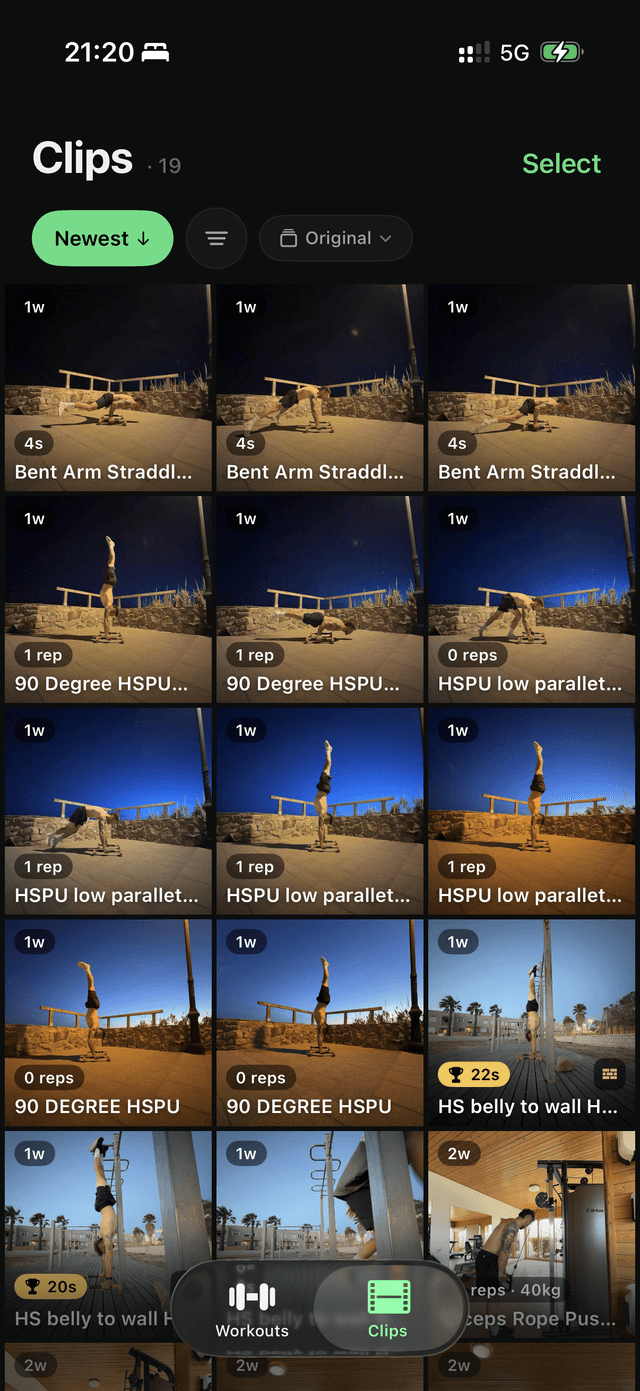
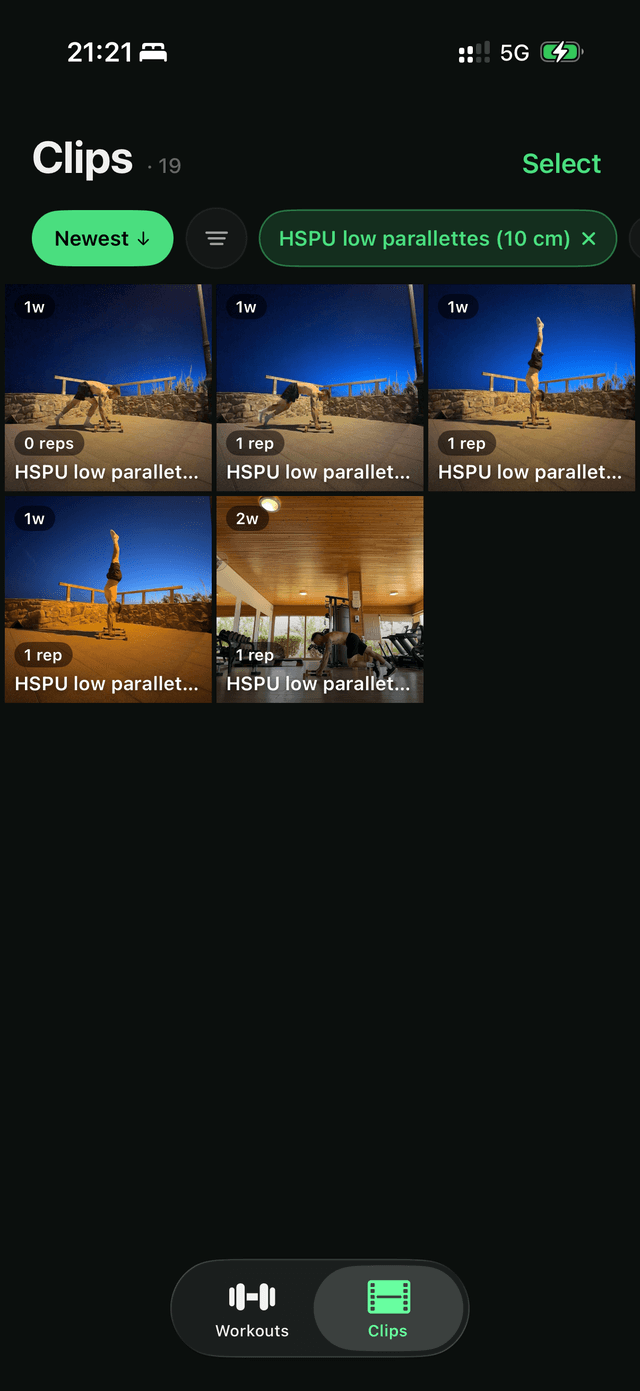
Find any set in seconds.
Filter your entire video library by exercise, personal records, favorites, or length. Pull up every planche you've ever filmed — or just your best — in a couple of taps.
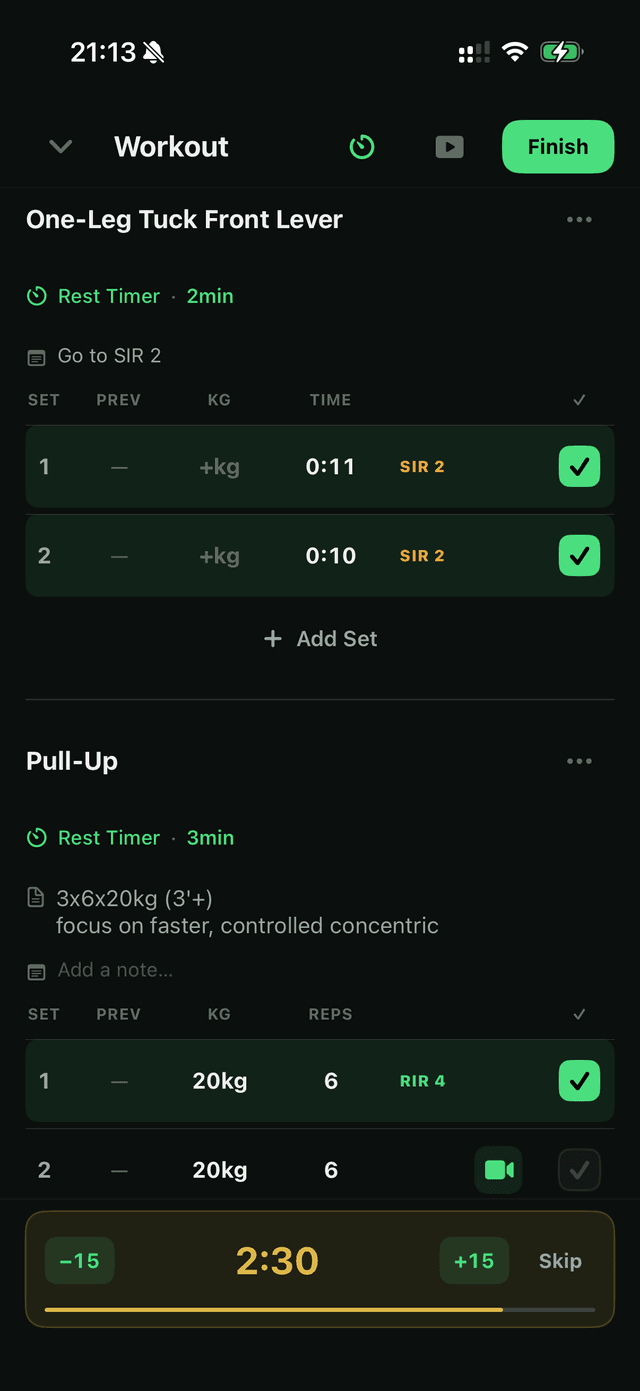
Log every workout.
Weight, reps, duration, or distance — log any kind of training. Build routines or log freestyle. It's a complete logger; calisthenics is just where it feels at home.
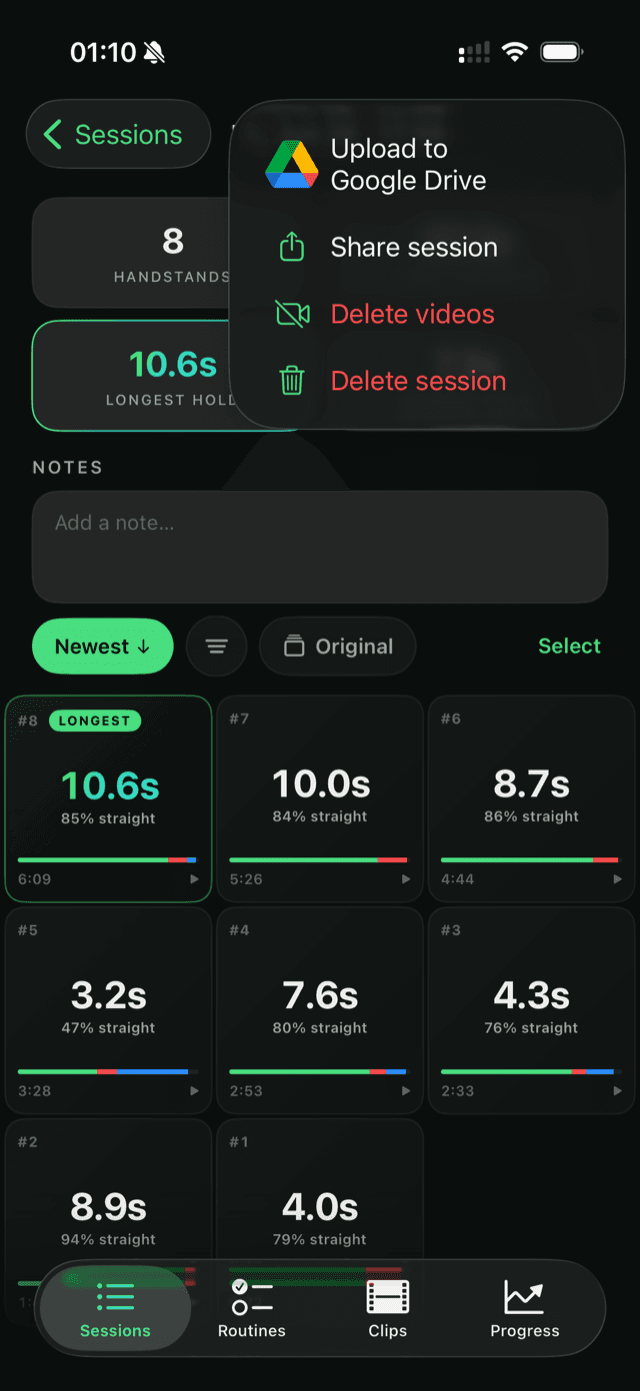
Share with your coach.
- ✓Upload your clips and your full training log to your own Google Drive
- ✓Your coach gets every set in a spreadsheet — with a link straight to the video of each set
- ✓They watch your week and adjust your plan from anywhere
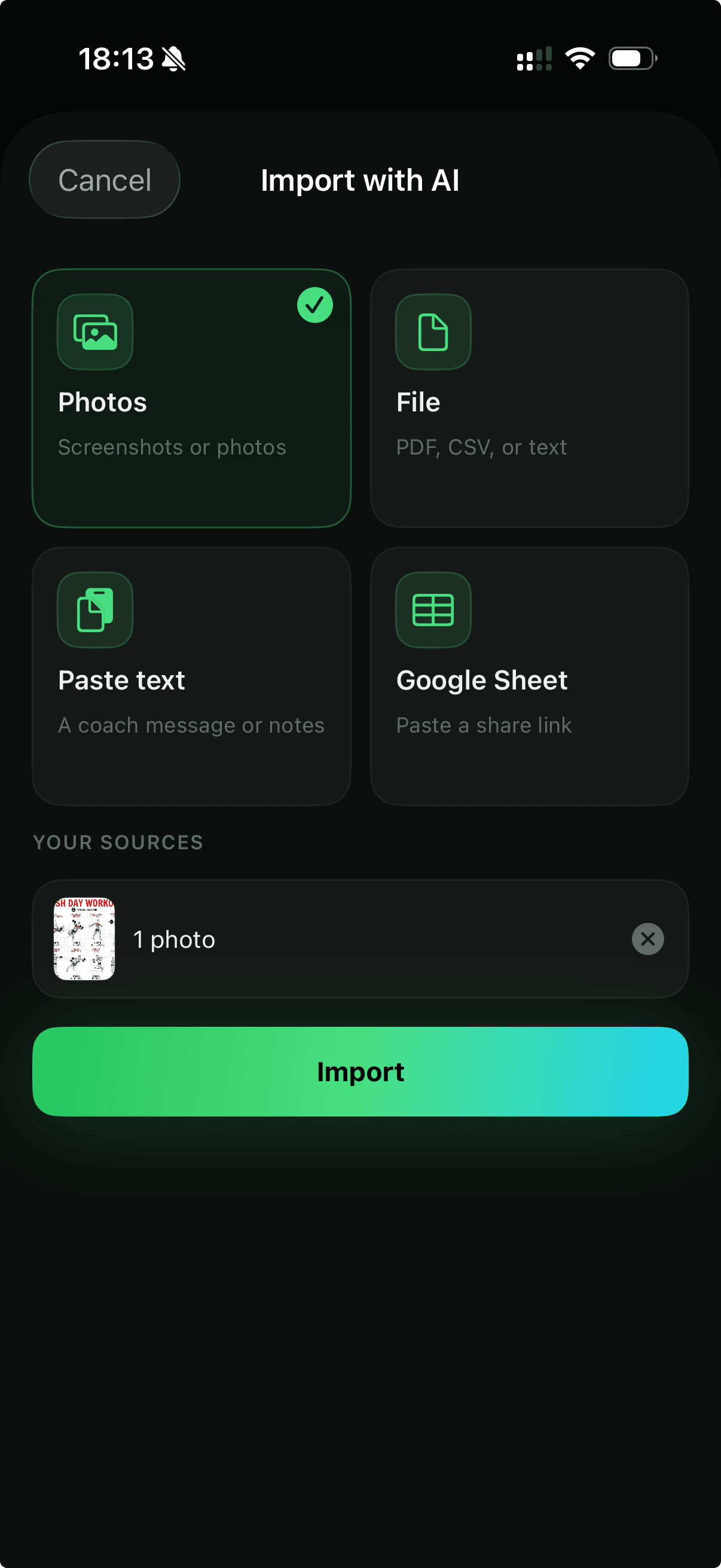
Bring any program.
Levr's AI imports your routines from almost any source — a screenshot, a PDF, a note, or a Google Sheet. No building them by hand. Coming from another app? Import your existing logs so day one isn't a blank slate.
Your video stays yours.
Your training video stays on your device by default. Levr has no accounts, analytics are anonymous, and there are no ads.
Questions, answered.
Do I have to press record?
No. Set your phone down once and train straight through. Levr films the set you're on, and for holds like handstands, planches, and front levers it detects the hold and times it automatically — no record button, no stopwatch.
Is Levr only for calisthenics?
No — Levr logs any training: weight, reps, duration, or distance, in routines or freestyle. It's a complete workout logger. Calisthenics is just where the video and automatic timing make the biggest difference.
Which holds get timed and scored?
Handstands, planches, and front levers are detected and timed automatically. Form scoring — measuring the angles at your joints — is available for skills like the handstand today, with more movements on the way.
Where does my video go?
It stays on your device by default. Levr has no accounts. You can optionally upload clips to your own Google Drive to back them up or share them with a coach.
Do I need an account?
No. Levr has no sign-up and no login — you can start logging the moment you open it.
How much does it cost?
Levr is free on the App Store.
Set it down. Train.
Every set you log from now on, on video.